
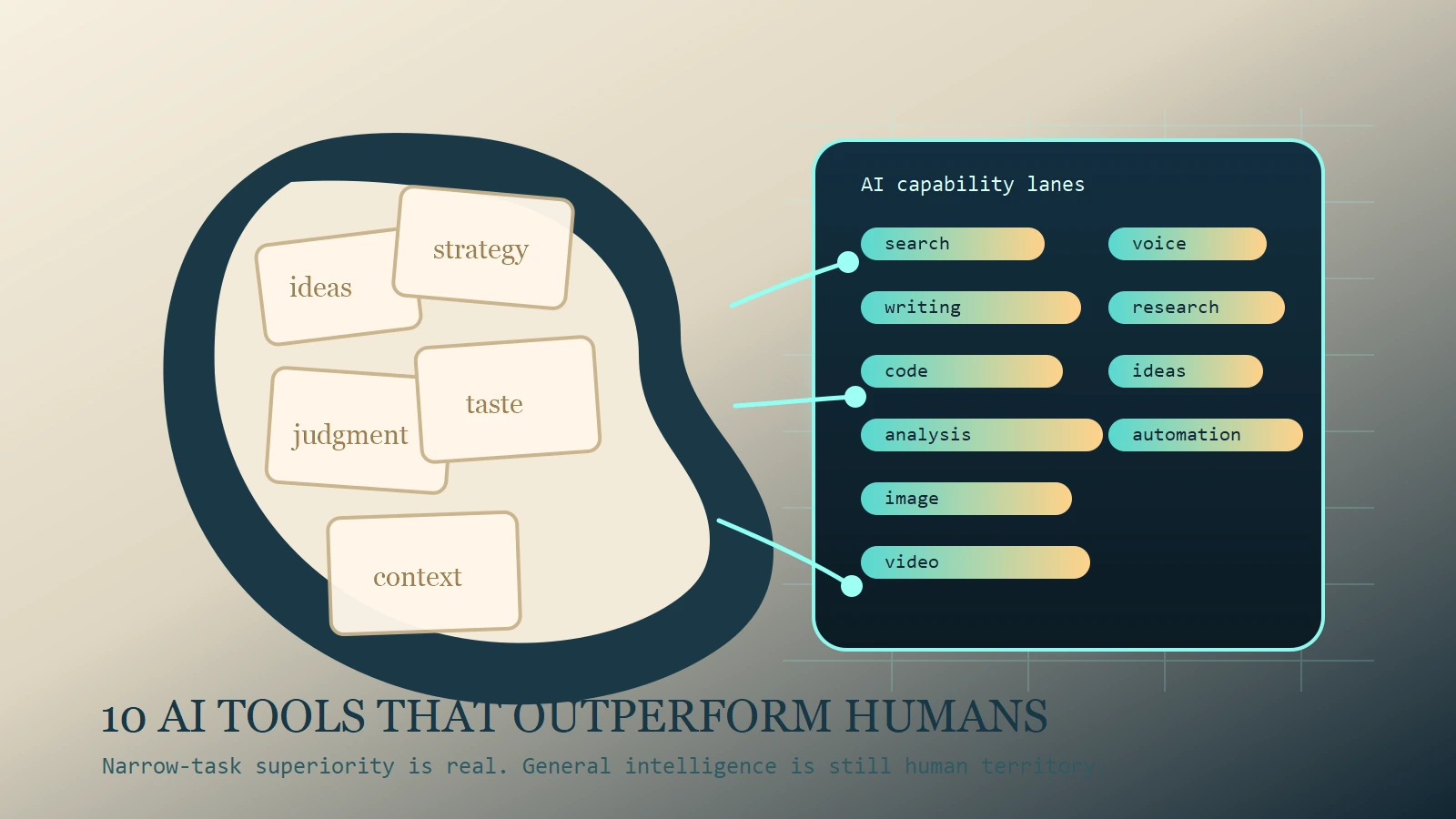
If you ask whether AI can “beat the human mind,” the honest answer is still no in the general sense. But that question becomes useful when you make it narrower. Can specific AI tools outperform humans at searching, summarizing, coding, voice production, image ideation, or video prototyping? As of March 7, 2026, yes. Several can.
That is the frame for this list. It is not a hype piece claiming machines have replaced human intelligence. It is a practical ranking of the tools that now outperform most people at narrow tasks involving speed, recall, scale, iteration, and pattern matching. Those are the areas where software has always had an edge. Generative AI widens that edge by making the interface conversational, visual, and increasingly agentic.
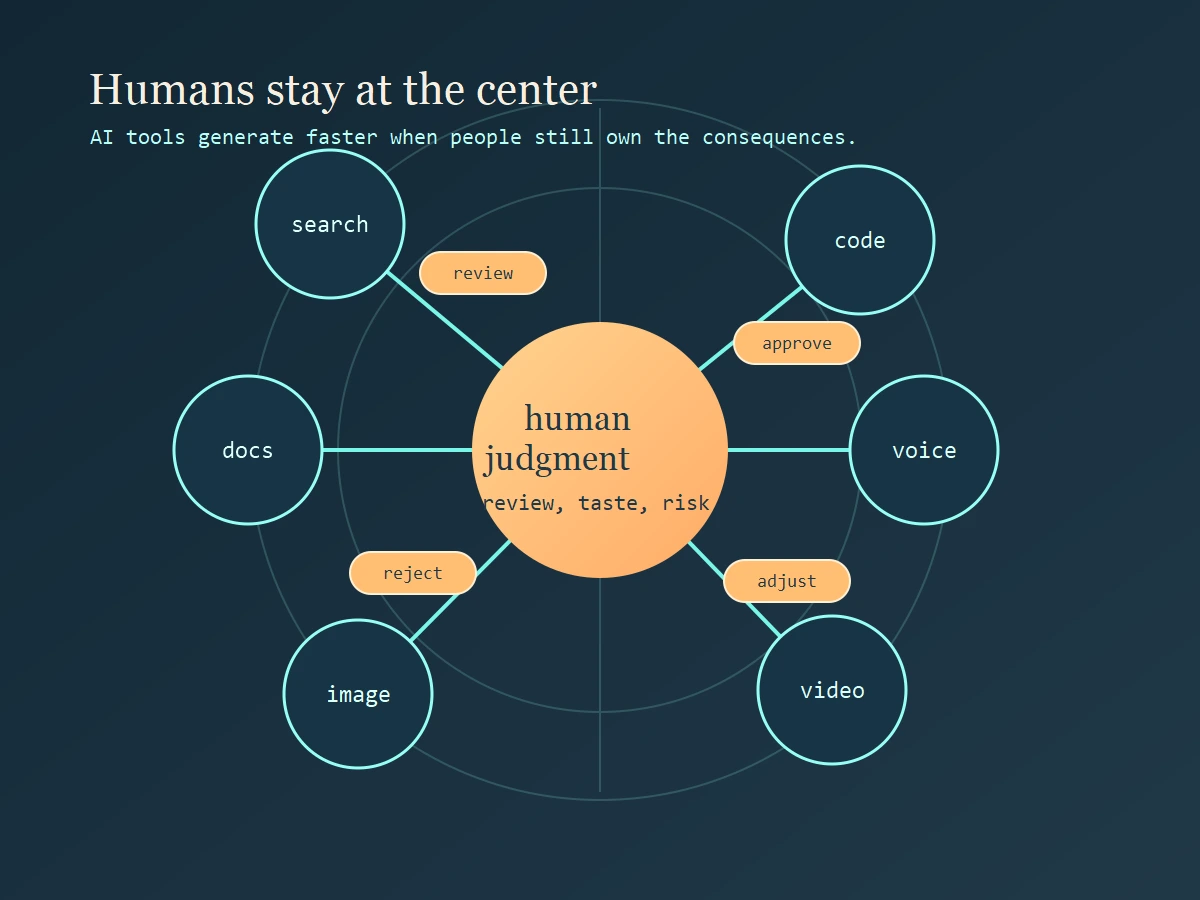
If you are choosing tools for yourself or your team, this distinction matters. A tool can be superhuman at one slice of work while still being unreliable at judgment-heavy tasks. That is why the smartest AI adoption strategy is not to ask which tool is “the smartest.” It is to ask which tool wins a specific lane and where a human still has to stay in charge.
What “beat the human mind” actually means
The phrase sounds bigger than the reality. No mainstream AI tool today has a general-purpose human mind. None deserves unreviewed trust in high-stakes work. None reliably understands consequences the way a responsible person does. What these systems do have is narrow-task superiority.
They are better than humans at processing large volumes of material quickly, generating many variations without fatigue, and transforming content from one format into another. They do not get bored by repetitive code patterns. They do not mind producing a fifth summary of the same report for a different audience. They do not complain when you ask for ten visual directions, three voice versions, or a table extracted from a messy document.
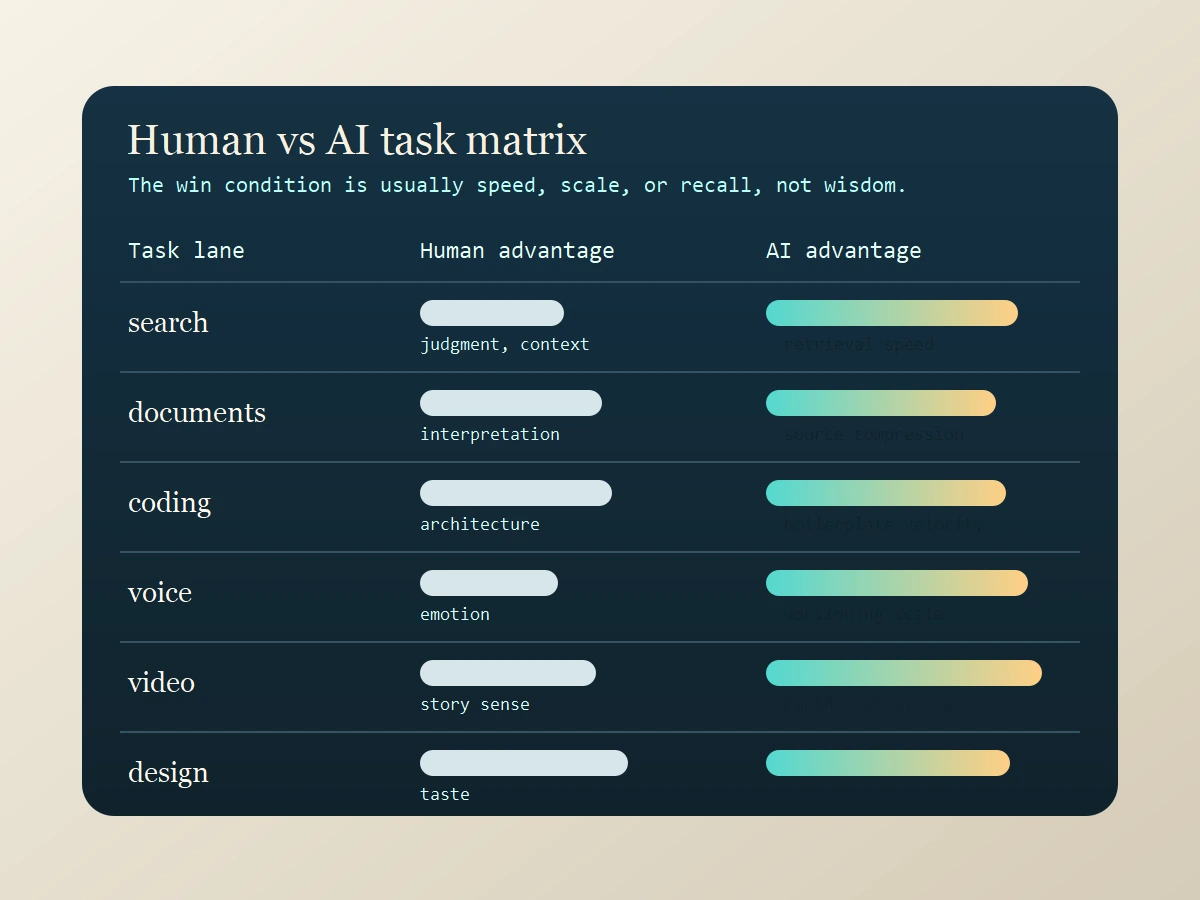
So when I say a tool outperforms humans, I mean it beats most humans at one or more of these dimensions: speed of first-pass output, breadth of retrieval, scale of variation, patience with repetitive transformations, and cross-format conversion between text, image, audio, or code. Humans still dominate in a different set of dimensions: framing the right problem, choosing what matters, owning tradeoffs, spotting subtle contextual risk, and taking responsibility for the outcome.
How this list was chosen
This ranking uses a simple filter. Each tool had to be clearly strong in a real workflow that working people care about: general knowledge work, source-backed research, coding, image creation, video production, or synthetic voice. I also prioritized tools with clear official positioning on their product sites so the ranking stayed tied to what the tool is actually built for.
I deliberately mixed generalists and specialists. A strong general assistant is useful because it can compress many small tasks into one interface. But specialist tools still matter because they often beat general assistants decisively in their home category. That is the difference between a useful chatbot and a real production tool.
The Top 10 AI Tools
1. ChatGPT
ChatGPT is still the strongest general-purpose tool if you want one subscription that can cover writing, brainstorming, summarizing, coding help, and structured output. Its biggest advantage is task-switching speed. You can move from a rough brief to a cleaned-up outline, from notes to a table, or from a block of code to an explanation without changing environments or rebuilding context from scratch.
Where it outperforms humans is synthesis velocity across mixed tasks. A skilled human can eventually produce a better final report. But most humans cannot jump across five distinct output formats in seconds. ChatGPT can. That makes it valuable not because it is always best in each category, but because it reduces the cost of shifting between categories.
Best for: general knowledge work, first drafts, lightweight coding help, and cross-functional solo operators.
Human caution: breadth can create false confidence. It still needs review when the stakes are high.
2. Claude
Claude stands out in document-heavy work. It is particularly strong when the job is to read, analyze, compare, rewrite, and produce calm, coherent long-form output. Many users prefer it for dense reports, policy documents, research notes, and serious writing assistance because it tends to feel steady and structurally organized.
Where Claude outperforms humans is persistence over long text. Humans lose sharpness when they have to read large documents repeatedly and restructure them for different audiences. Claude does not suffer the same attention fatigue. That makes it powerful for synthesis, editing passes, and turning complex raw material into cleaner thinking.
Best for: long-form reading, writing, summarization, and structured analysis.
Human caution: polished prose is not proof of correctness. Review is still essential.
3. Gemini
Gemini is strongest when work moves across modes instead of staying inside pure text. Google’s Gemini ecosystem is built around multimodal reasoning, which matters when the task involves screenshots, documents, visual context, and text in the same workflow. For many users, that makes Gemini less about chat and more about fast cross-format interpretation.
Where Gemini outperforms humans is multimodal throughput. A person can inspect a screenshot, compare it with a written brief, and then produce an explanation. Gemini can often do that conversion dramatically faster. That matters for analysts, support teams, researchers, students, and managers who constantly jump between visual and textual context.
Best for: multimodal productivity, cross-format analysis, and users already living in Google’s ecosystem.
Human caution: ecosystem convenience is only valuable if it fits your actual workflow.
4. Perplexity
Perplexity wins the first layer of research. When you need a quick answer backed by citations and source links, it often beats manual browsing on pure speed. The real advantage is not that it replaces deep research. The advantage is that it compresses the path from question to a referenced first-pass answer.
Where Perplexity outperforms humans is breadth-first retrieval under time pressure. Most people do not search, scan, compare, and synthesize fast enough to produce a cited overview within minutes. Perplexity does, which makes it useful for market scans, topic familiarization, competitive overviews, and question triage.
Best for: fast research starts, citation-aware answers, and rapid topic orientation.
Human caution: citation presence helps, but it does not eliminate the need to inspect important sources yourself.
5. NotebookLM
NotebookLM is one of the smartest tools on this list because it begins from your documents instead of the entire web. That makes it far more useful for studying, internal knowledge work, project archives, and bounded research packs. Instead of asking a model to improvise, you ask it to work over the exact corpus you supplied.
Where NotebookLM outperforms humans is source-pack compression. A human can read ten PDFs, a transcript, and a pile of notes, but not nearly as quickly as NotebookLM can turn that material into summaries, FAQs, briefings, or discussion aids. It is a retrieval and synthesis machine for your own evidence base.
Best for: study workflows, source-backed synthesis, internal documentation, and project memory.
Human caution: it is only as good as the source pack and the questions you ask.
6. Cursor
Cursor is one of the clearest cases of AI winning on pure workflow mechanics. It accelerates local code edits, refactors, repetitive file changes, and codebase exploration inside the environment where developers already work. That matters because coding speed is often lost in navigation and transformation, not just in typing.
Where Cursor outperforms humans is repetitive engineering throughput. A good developer can absolutely outperform an assistant on architecture and deep debugging. But a good developer plus Cursor often outperforms the same developer alone on scaffolds, repetitive edits, and pattern-constrained code changes.
Best for: refactors, codebase edits, and developers who want an AI-native editor.
Human caution: faster changes can still be wrong changes. Testing and review stay with the human.
7. GitHub Copilot
Copilot is still a strong coding accelerator because it lives directly inside the daily development loop. Its inline completion, chat support, and coding-agent positioning are all designed to remove the friction of boilerplate, small helpers, tests, and repeated structures.
Where Copilot outperforms humans is low-latency completion of familiar code shapes. The value is cumulative. It saves seconds and minutes repeatedly across a day, which becomes hours over time. That is not glamorous, but it is operationally significant.
Best for: inline suggestions, boilerplate reduction, and teams already standardized on GitHub workflows.
Human caution: passive acceptance of suggestions is a quality risk. Developers still need to think.
8. Runway
Runway is a production tool for visual iteration speed. It can take idea fragments and turn them into short video drafts, motion concepts, and fast visual experiments without the setup cost that traditional editing and production pipelines require.
Where Runway outperforms humans is time-to-prototype for moving visuals. A human creative team can deliver higher-control final work, but most teams cannot create multiple video directions from scratch at the speed Runway enables. That changes pre-production, pitching, and rapid campaign experimentation.
Best for: video ideation, motion drafts, and creative teams that need speed before polish.
Human caution: generated motion still needs human direction, brand control, and narrative judgment.
9. ElevenLabs
ElevenLabs dominates a lane where traditional production used to be slow and expensive: synthetic narration, voiceovers, dubbing, and multilingual audio output. For many businesses and creators, the gain is not just cost. It is turnaround.
Where ElevenLabs outperforms humans is voice production repeatability. A human performer offers richer interpretation, but a dedicated voice platform can produce multiple versions, languages, and revisions almost instantly. That is a major operational advantage for training, media localization, demos, and product narration.
Best for: dubbing, narration, multilingual voice output, and rapid audio prototyping.
Human caution: realistic voice output raises consent, brand, and authenticity issues quickly.
10. Midjourney
Midjourney remains one of the most powerful creative ideation tools because it makes visual variation cheap. It is not the final creative director. It is the fastest path from a fuzzy idea to many plausible visual directions. That is a real superpower in early-stage design.
Where Midjourney outperforms humans is parallel concept generation. A designer cannot usually produce dozens of stylistically distinct directions in the same time window without assistance. Midjourney can. That makes it valuable for moodboards, campaign concepting, style exploration, and rough art direction.
Best for: visual ideation, concept art, and rapid style exploration.
Human caution: abundance is not discernment. Someone still has to choose what is actually good.
The Hardware Edge: Bridging the Gap
Narrow-task superiority isn’t limited to browser tabs. In 2026, the gap between having an idea and documenting it is being closed by specialized hardware. If the tools above are the “brains,” these devices are the “sensors.”
Featured Gear: PLAUD NotePin
The PLAUD NotePin is a wearable AI “second brain” designed to solve the human weakness of recall. While a human is great at navigating the nuances of a live conversation, we are notoriously poor at remembering every detail mentioned in a meeting. The NotePin handles the narrow task of unfailing auditory retention.
It captures high-fidelity audio and uses models like GPT-4o and Claude 3.5 to turn messy discussions into clean, structured summaries in seconds. This allows the human to stay present in the “judgment-heavy” part of the meeting while the AI handles the repetitive transformation of speech into data.
Best for: capturing meetings, spontaneous brainstorms, and field research without the distraction of a phone.
Human caution: AI transcription can miss emotional subtext. Always review the summary for “vibe” before sharing it as the official record.
How to Choose the Right AI Tool
If you only want one tool, start with ChatGPT or Claude. If your work depends on verified sources, Perplexity and NotebookLM are better bets than another generic assistant. If your day happens inside a code editor, Cursor and Copilot are more relevant than any general chatbot. If your bottleneck is media production, Runway, ElevenLabs, and Midjourney justify themselves through speed alone.
The smarter buying model is usually one generalist plus one specialist. For example, pair ChatGPT or Claude with Cursor for software work, Claude with NotebookLM for document-heavy research, ChatGPT with Runway for creator workflows, or Perplexity with Midjourney for research-led campaign ideation. That pairing model is usually cheaper and cleaner than piling on overlapping subscriptions.
Where Humans Still Win
Humans still beat AI where the work becomes consequential. Problem framing is a human advantage because it depends on stakes, context, and intent. Taste is a human advantage because choosing between outputs is not the same thing as generating outputs. Ethics is a human advantage because tools do not bear moral or legal responsibility for what happens next.
Accountability is the real dividing line. If the article is wrong, the product ships broken, the campaign misses the audience, or the advice causes damage, the tool does not answer for it. A person does. That is why strong AI use looks like supervised leverage, not abdication.
Final Takeaway
The practical answer to the user’s original phrase is simple. AI tools do not beat the human mind in general. They do beat humans at narrow tasks involving speed, recall, scale, and variation. That is already enough to reshape work, and it is why tool choice matters.
Use AI where it is mechanically superior. Keep humans where judgment, trust, taste, and accountability live. That is the real operating model for 2026.
CTA
Choose one task this week that currently drains your attention: research, code cleanup, image ideation, video drafting, or voice production. Match that task to one tool on this list, measure the result, and keep only what improves both speed and quality. The goal is not to collect AI subscriptions. The goal is to build a stack that actually works.
Source Notes
- OpenAI, ChatGPT Overview for official positioning around writing, productivity, and multimodal assistance.
- Anthropic, Claude for official positioning around reading, writing, coding, and analysis.
- Google DeepMind, Gemini for official positioning around multimodal reasoning and the Gemini model family.
- Google, NotebookLM for official positioning around source-backed summaries and research workflows.
- Perplexity for official positioning around answer-driven research and search.
- Cursor for official positioning around AI-native code editing.
- GitHub Copilot for official positioning around code completion, chat, and coding agents.
- Runway for official positioning around AI video generation and editing.
- ElevenLabs for official positioning around voice generation, dubbing, and audio workflows.
- Midjourney for official positioning around AI image generation and visual ideation.