Open tabs, scattered highlights, copied quotes, and half-remembered chat answers create the same problem: your research gets harder to trust the moment you need to use it. That is why most note systems feel busy but still fail under pressure. When you need to brief a team, write a post, or make a decision, the original source is hard to find and the meaning of the note is not clear.
The right AI setup can fix part of that problem. The wrong one makes it worse. Good ai note taking for research does not mean asking a chatbot to summarize everything and hoping the result is correct. It means using AI to speed up source-grounded reading, synthesis, and retrieval while keeping every useful note tied to evidence.
For founders and knowledge workers, that is the standard that matters. You do not need the most advanced tool stack on the market. You need a research workflow AI system that helps you move from source to insight to action without losing trust on the way.
Why most research notes break down
Most research systems fail between collection and reuse. You read an article, annotate a PDF, save a clip, or ask a model for a summary. A week later, you remember the idea but not the evidence. The note survives, but the context does not.
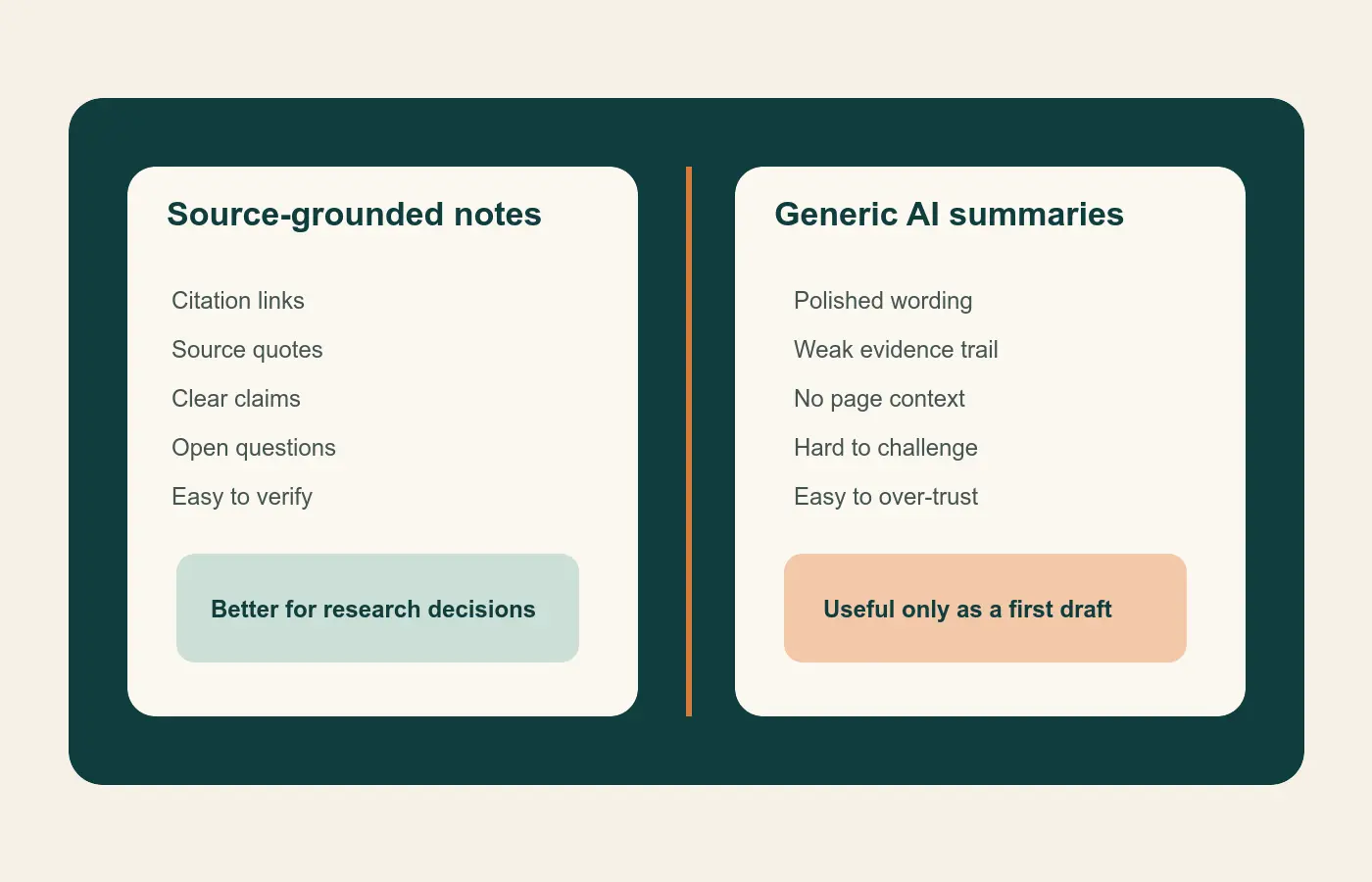
AI can make that pattern look more polished. A smooth summary feels productive. Still, a summary without a source trail is weak material for strategy, content, or decision-making. If you cannot answer where the claim came from, how it was framed, and whether it holds up against the original source, the note is not ready for serious work.
That is why note taking tools should be judged by more than convenience. The useful chain looks like this:
- Capture the source.
- Turn the source into a clear claim.
- Attach the claim to a question, decision, or draft.
- Retrieve it later without redoing the research.
Once you see the workflow that way, tool choice becomes easier.
What good AI note taking for research actually looks like
Every note stays tied to a source
The first rule is traceability. Google says NotebookLM works from the material you upload, including documents, slides, web URLs, audio files, images, and YouTube links. Google’s product notes also describe answers that stay grounded in those sources with citations and relevant quotes. That makes NotebookLM useful for bounded research sets where you want faster orientation without losing the source context.
Zotero solves the same problem from another direction. Its PDF reader lets you highlight, annotate, and move those annotations into notes with links back to the PDF and citation data. For research work, that is not a small feature. It is the difference between a note you can verify and a note you have to trust from memory.
When source visibility is weak, treat the output as a draft thought, not an accepted fact.
Notes are rewritten into plain-language insights
Highlights are not insights. They are inputs. The value appears when you restate the point in your own words and explain why it matters.
That step is worth protecting. Research on spontaneous note taking suggests that reviewing and summarizing notes improves comprehension more than simple transcription. Research on retrieval practice also shows that recall-based work can improve how people evaluate complex information. In practice, that means the best note is usually not the longest or the most complete. It is the one that helps you think again.
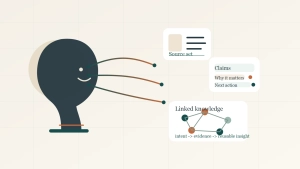
A practical research note often fits four fields:
- Source
- Claim
- Why it matters
- Next action or open question
This structure works because it creates a usable unit of knowledge. You are not storing text. You are storing understanding.
Retrieval is part of the job
Research notes are not valuable only on the day you capture them. They become valuable when you can retrieve and combine them later.
That is where knowledge management enters the picture. Obsidian’s internal links and graph view make it easier to connect notes across themes, projects, and time. You may have one note on ai literature review, another on customer interviews, and another on decision quality. Linked-note systems help those ideas meet each other later, which is how a real knowledge base starts to form.
If your notes are easy to capture but hard to retrieve, the system is incomplete.
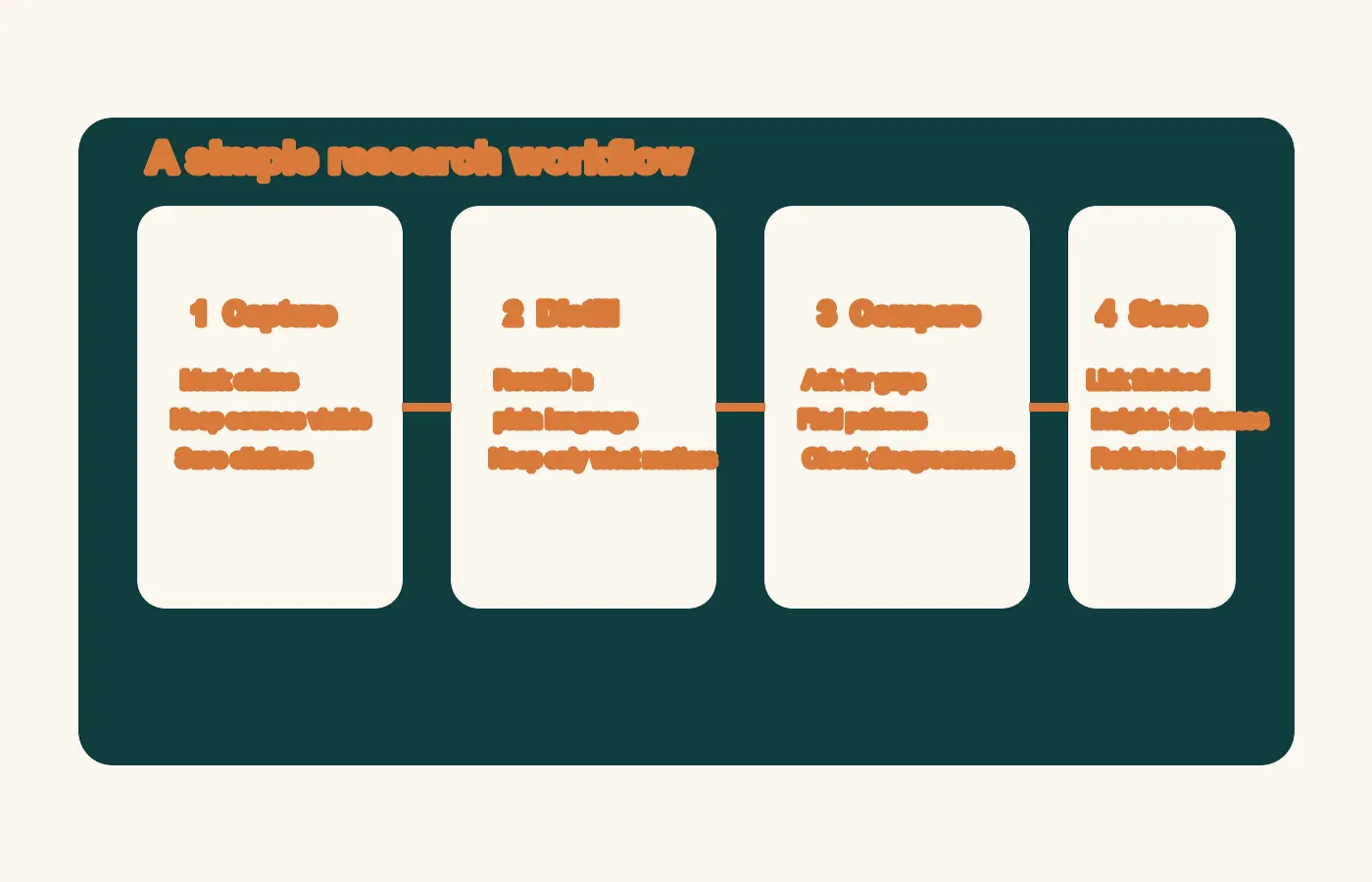
A four-step research workflow with AI
Step 1: Capture source-grounded notes
Start close to the original source. If you are reading PDFs, reports, or papers, use a source-first tool for the first pass. Zotero is strong for citation control, annotations, and exportable references. NotebookLM is strong when you want to upload a focused source set and ask grounded questions across it.
Keep the first pass light. Mark only what seems likely to matter:
- a claim worth testing
- a statistic worth checking
- a quote that explains the problem clearly
- a framework or method you may want to reuse
The goal here is not to write the final answer. It is to preserve the signal before the context disappears.
Step 2: Distill notes into reusable claims
Once the first pass is done, convert raw highlights into smaller notes that can stand on their own. One source usually yields a few strong notes, not dozens of useful ones.
Use a pattern like this:
Source: 2025 report on AI adoption in operations
Claim: Teams get more value from AI when workflows are standardized before automation.
Why it matters: Process clarity matters more than adding another tool.
Next action: Audit which research steps still vary across projects.
This is where many note taking tools fall short. They store documents well, but they do not force you to clarify the point. AI can help suggest candidate claims, compress wording, or identify overlaps. You still need to decide which note deserves to survive.
Step 3: Compare sources, themes, and gaps with AI
This is the safest place to use AI aggressively. Once you have a bounded set of sources or notes, ask AI to compare, cluster, and surface disagreement.
Elicit is useful for ai literature review because it combines semantic search, query-specific summaries, filters, and exports that fit research workflows. Elicit also supports more structured review steps for screening, extraction, and synthesis. Consensus follows a retrieval-first pattern for scientific evidence, then uses AI after relevant papers are identified, which is a stronger trust model than answer-first chat.
Use AI here for tasks like:
- grouping similar findings
- spotting contradictions between sources
- identifying evidence gaps
- drafting a short synthesis from checked material
- extracting themes for a research memo or article outline
This is where research workflow AI becomes a force multiplier rather than a shortcut that creates risk.
Step 4: Store finished insights in your knowledge base
Once a note is clear and checked, move it into the system where long-term value lives. For many individuals, that is Obsidian or another linked-note workspace. For teams, it may also feed a company wiki, a strategy doc, or an editorial brief.
A finished note should let you answer three questions fast:
- What did this come from?
- What does it mean?
- Where could I use it next?
If your system answers those questions cleanly, you are not just collecting notes. You are building knowledge management that compounds over time.
Which note taking tools fit each part of the stack
The most useful way to compare tools is by job, not by marketing category.
| Tool | Best job | Why it fits |
|---|---|---|
| NotebookLM | Grounded orientation across a selected source set | Helpful for source-linked summaries, comparisons, and question answering |
| Zotero | Reference management and annotation control | Strong PDF workflow, citations, and note links back to source material |
| Elicit | Structured literature review and evidence scanning | Useful for semantic search, screening, extraction, and export |
| Consensus | Fast scientific evidence search | Retrieval-first workflow tied to cited papers |
| Obsidian | Long-term note retrieval and linking | Strong for reusable insights and cross-project knowledge management |
NotebookLM for grounded summaries and fast orientation
NotebookLM is best when your source set is already bounded. Upload the relevant documents and use it to compare arguments, find repeated patterns, and pull source-backed summaries. It is a research assistant, not a replacement for judgment.
Zotero for citations, annotations, and PDF control
Zotero remains one of the strongest foundations for serious research because it keeps source files, citation data, highlights, and note context together. If you care about traceability, start here.
Elicit or Consensus for AI literature review
Use Elicit when you need a more structured workflow for exploring a body of literature. Use Consensus when the core question is evidence-focused and you want to inspect relevant research quickly. Both are better framed as discovery and synthesis tools than final-answer engines.
Obsidian for long-term knowledge management
Obsidian becomes valuable after the reading stage. That is where you turn temporary project notes into durable ideas you can reuse in future strategy work, writing, or product thinking.
Common mistakes that make AI research notes less useful
Trusting the summary instead of the source
The cleaner the AI output sounds, the easier it is to over-trust it. Keep checking the original material, especially for claims you plan to publish or act on.
Saving document summaries instead of atomic notes
A full-source summary can be useful for reference. It is often weak for retrieval. Small, claim-based notes are easier to combine, test, and reuse.
Trying to force one tool to do every job
Most tools are optimized for one part of the workflow. Problems start when one app is expected to be your reader, citation manager, synthesis layer, knowledge base, and publishing surface.
Keeping notes that do not answer a meaningful question
Some notes are accurate but still low value. The notes worth keeping usually sharpen a decision, improve a model, or open a better question.
A simple weekly operating rhythm for founders and knowledge workers
Monday to Wednesday: collect and mark
Read the source material. Highlight lightly. Save candidate claims, useful data points, and frameworks worth revisiting.
Thursday: synthesize and compare
Use AI on a bounded set of notes or sources. Ask for comparisons, disagreements, weak spots, and working takeaways. Then verify the points that matter.
Friday: publish, brief, or decide
Turn the strongest notes into output. That may be a research memo, a strategy brief, a post outline, a customer insight summary, or a decision log. Research starts compounding when it leaves the notebook.
Source notes
- NotebookLM Help confirms the supported source types and explains that sources are handled as static copies inside a notebook.
- Google’s NotebookLM product post describes source-grounded responses with citations and relevant quotes.
- Zotero’s PDF reader documentation shows how annotations can be added to notes with links back to the source context.
- Obsidian Help documents internal links, and graph view supports connected knowledge management.
- Elicit support and the Elicit systematic review post describe semantic search, screening, extraction, and export for literature review.
- Consensus Help explains its retrieval-first approach to scientific search and citation-backed answers.
- PubMed on retrieval practice and PubMed on note review support the broader point that reviewing, summarizing, and retrieving notes improves comprehension and critical evaluation.
Final takeaway
The best setup for ai note taking for research is not the one with the most automation. It is the one that keeps every useful note tied to a source, rewritten into a clear idea, and easy to retrieve later. If you build that workflow first, the tools start to make sense.
If you want a low-friction next step, create a one-page note template with four fields: source, claim, why it matters, and next action. Use it for one week with your current stack. If your notes become easier to trust and reuse, then add more AI on top.